Where to Buy Keybox? The Top 5 Smart Locks and Keyless Entry Solutions for Your Rental Home
>
>
Where to Buy Keybox? The Top 5 Smart Locks and Keyless Entry Solutions for Your Rental Home
What is a Keybox (Coded Key Box)?
A keybox is an access device that stores a physical key inside a secure steel compartment and allows authorized persons to access this key with a predetermined password. As a core component of the self-check-in process in short-term rentals, keybox systems eliminate the necessity for the property owner or a representative to meet the guest at the door. When we installed these systems in the properties we manage in Antalya, the most concrete benefit we observed was that the check-in/check-out operation became completely independent of time; there is no longer a need to have staff present for a guest arriving late at night.
Which Access Method is Right for Your Short-Term Rental?
The right choice depends on the property's location, the building structure, and how many guests you host. Below, we have listed the five most common methods we encounter in the field, along with their pros and cons.
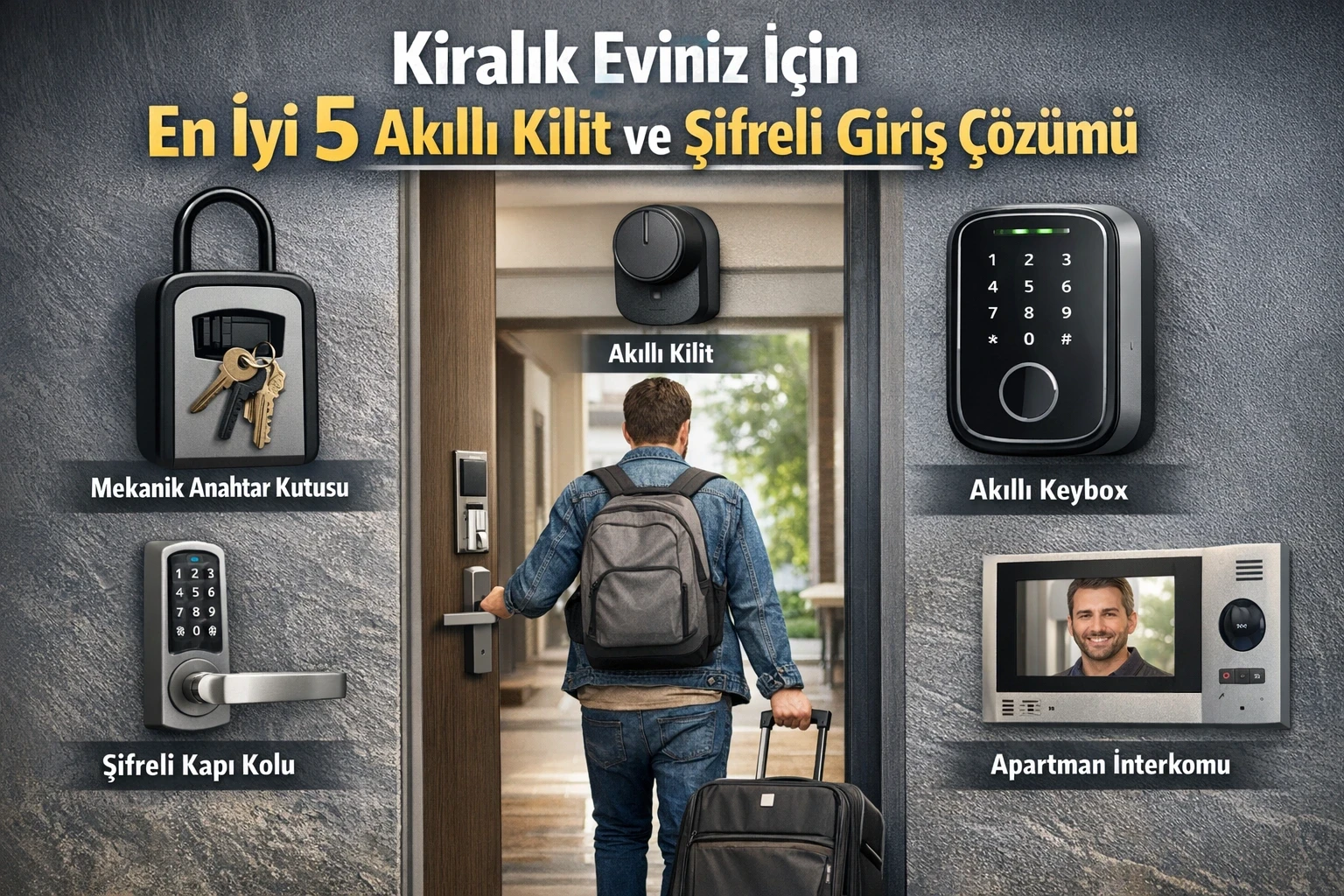
1. Mechanical Key Boxes (Lockbox)
It is the lowest-cost and simplest solution. It is shaped like a padlock body and is fixed to the door handle or wall; it does not require an electricity or internet connection.
It is a reasonable starting point for hosts who own a single property or do not want to invest in the system yet. However, the disadvantage is also clear: if the password is not changed manually for every guest, a security vulnerability occurs, and forgetting this change is one of the most common mistakes we see in the field.
2. Smart Locks
These are systems that replace the door cylinder and operate via Bluetooth or Wi-Fi. A custom, timed code can be defined for the guest, and entry-exit activities can be monitored instantly from the mobile application.
For those who manage multiple properties centrally, the practical solution is in this category, because the system automatically changes the password manually for each booking. We prefer this type of lock in our operations; the reason is that we can manage cleaning team and guest access separately from the same panel.
3. Smart Keybox Models
This is the digital version of the mechanical box. The password is entered on a digital screen, and code generation and history are tracked via a mobile application.
It is an intermediate solution between mechanical and smart locks for those who want to keep storing the key physically but want to digitalize password management.
4. Keypad Door Handles
These are keypad systems integrated into the door handle. They are usually the most aesthetic option for apartments, as they do not look like an extra device from the outside.
5. Smart Intercom Integrations
These are systems that allow opening the main entrance door of the building from the apartment or remotely via phone. Especially in properties with a separate intercom system at the building entrance, it prevents the guest from waiting at the building door.
How Do These Systems Reflect on Revenue?
Listings that offer a self-check-in option stand out as a factor that speeds up the booking process on the Airbnb management side, as it eliminates the guest's need to coordinate with the host for check-in. In Airbnb's own help center resources, self-check-in is also listed among the features that improve the guest experience.
On the cost side, the concrete comparison is this: instead of paying a regular monthly fee for key delivery staff, the one-time investment made in a smart lock pays for itself in the medium term — how many months it will take to pay off depends on your number of properties and staff costs, so instead of giving a specific number of months, we suggest comparing it with your own operating costs.
In terms of security, the biggest difference is that the code changes automatically after every guest. Forgetting this step in a manual lock means the previous guest still has access to the house; therefore, automatic code renewal in smart systems is a feature that should not be ignored.
Our professional advice: When choosing a device, be sure to check the low battery warning for battery-powered models and the ability to unlock via Bluetooth during internet outages. Without these two features, the self check-in process may fail at the most critical moment.
If the internet is cut off, will the guest stay outside?
No. Professional locks such as Yale or Nuki work with Bluetooth and local codes. Predefined passwords will unlock the door even without the internet.
What to do if the Pillar suddenly breaks?
Devices will start to give a warning at 20% battery level. Nevertheless, it is a golden rule to keep a hidden "Emergency Keybox" containing a mechanical key near the property to avoid taking risks.
How Can I Open the Apartment Entrance Door Remotely?
With Nuki Opener or similar modules connecting to the intercom inside the circle, you can open the front door from your phone and let the guest into the building.
Should I change the password manually for each guest?
In locks with Airbnb integration, the system automatically generates a temporary code for each reservation. However, in manual locks, it is a requirement for your safety to change the code after each exit.
If the door lock hardens, will the smart lock break?
If the door fits tightly into the socket, the smart lock motor will be strained and will quickly deplete the battery. Before installation, make sure that the door adjustments flow "like oil."
Real Estate Management